The Global Language of Business
Contact ushvidt omrids af cirkel med hvid pil i midten der peger mod venstre
Barcode labelling of the primary packaging

Below you can read the instructions on how to use barcodes on the primary packaging of medicines.

Do you sell medicines to Danish hospitals through Amgros? Then you need to put a barcode not only on the sales device, but also on the primary packaging, why now that? In hospitals, nurses use scanning in the medication process to make sure they are standing with the right medicine in hand.

When the drugs are put on the shelves, they are often taken out of the cardboard box, which is why it is important that the primary packaging is barcoded. In this guideline you can read how to label the primary packaging correctly.

1. Assignment of the Global Trade Item Number (GTIN) to the primary packaging

The primary packaging of a product must be assigned the same GTIN, regardless of whether the primary packages are in different numbers in secondary packages (see Figure 1).

Hver sprøjte har det samme GTIN, men de forskellige sekundærpakninger har forskellige GTINs
Figure 1: Each syringe has the same GTIN, but the different secondary gaskets have different GTINs.

2. Which barcode to choose to label the primary packaging?

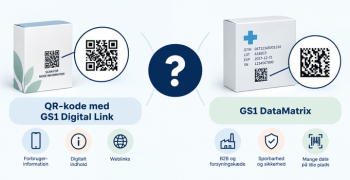
Amgros requires a minimum of one GTIN on the primary packaging and it must be contained in either a EAN-13 or a GS1 DataMatrix.

3. Marking of the primary packaging with an EAN-13 barcode

Opbygning af EAN-13 stregkode
Figure 2: Structure of the EAN-13 barcode.

3.2 If EAN-13 barcode is applied to packaging that rounds

If an EAN-13 barcode is to be placed on a package that is round and has a diameter of less than 5 cm, it must be placed on the edge (ladder format) to ensure that it can be scanned.

Figure 3: The EAN-13 barcode is placed at the top of a vial.

4. Marking the primary packaging with a GS1 DataMatrix

It may be advantageous to use a GS1 Datamatrix for small products, as this barcode is quite small. A GS1 DataMatrix has a specific start character, called FNC1 (technically called ASCII value 232). This character determines that it is a GS1 Datamatrix and not an ISO DataMatrix. In most software applications, a GS1 DataMatrix can be selected and then the FNC1 character will be inserted automatically.

Since a GS1 DataMatrix can contain a lot of information, it is important to clarify what information is entered into the barcode. This is done by using Application Identifiers. The Application Identifier for GTIN is (01).

note that the brackets should only be in the readable text and not be encoded in the barcode.

Eksempel på en GS1 DataMatrix indeholdende et GTIN
Figure 4: Example of a GS1 DataMatrix containing a GTIN.

4.1 But does the barcode have to sit on a packaging that rounds?

If a square GS1 DataMatrix is put on packaging that rounds, a scanner will run the risk of not being able to capture data in the barcode. Therefore, it is advantageous to use the rectangular GS1 DataMatrix and place it on top of the packaging. See Figure 5.

Figure 5: Rectangular versus square GS1 DataMatrix.

4.2 The size of the barcode

It is important that the barcode has a size so that it can be scanned. There is a difference between scanning a barcode in a warehouse or holding a product in hand, where the barcode should be much smaller. In the case of a GS1 DataMatrix, the height and width of the barcode depend on how many mm each square in the GS1 DataMatrix is (the x dimension) and how much data is encoded in the barcode. When a GS1 Datamatrix needs to be made larger or smaller, the x-dimension can be changed. See Figure 6.

Forskel på størrelsen af GS1 DataMatrix
Figure 6: Difference in the size of GS1 DataMatrix.

5. Readable text attached to the barcode (Human Readable Interpretation)

It is important that the information encoded in the barcode is also available in readable text if the barcode cannot be scanned. When an EAN-13 barcode is used, the readable text is placed as a natural part under the barcode. As a rule, when using a GS1 DataMatrix, the readable text must also be below the barcode. If there are space problems, the readable text can be placed on the pages or above the GS1 DataMatrix. For more information on readable text, see GS1 General Specifications section 4.15.

Application Identifier (01) skal være med i den læsbare tekst
Figure 7:Example of readable text. Note that the Application Identifier (01) must be included in the readable text when using a GS1 DataMatrix.

6. Barcode quality

It is important that the barcode has a quality that allows it to be scanned. This is ensured, among other things, by:

  • That there is a clear contrast between dark and light modules in the barcode
  • Never to place the barcode on a transparent packaging. If the packaging is transparent, it is recommended to make a white field for the barcode
  • To make sure that there is a field to the right and left of the EAN-13 barcode (called light zone) where there is no text, images or the like. With a GS1 DataMatrix, the light zone is on all four sides of the GS1 DataMatrix.

7. No barcode without data

When placing an EAN-13 barcode or a GS1 DataMatrix on the primary packaging, it is important that the GTIN is added to the product in the supplier portal at Amgros website.

8. The most frequent errors in the barcode on the primary packaging

Listed below are some of the errors that can be seen in the labelling of the primary packaging:

  • Missing Application Identifier
  • Missing 0 in front of GTIN encoded in a GS1 DataMatrix
  • Parentheses are encoded in the barcode
  • The FNC1 grade is missing
  • FNC1 is written FNC1 and not encoded as an ASCII value
  • Insert line breaks and/or gaps mm after GTIN
  • The barcode is put on a transparent packaging
  • The x-dim of the barcode is too small and thus the barcode cannot be read.

9. Reference list

For further information see also:

Amgros Technical Guide

GS1 DataMatrix Guideline

Guide to barcodes that can be scanned every time

Do you want to download the guide?

arrow-right-circle
Hent den her

Do you still need help? Reach out to our support team. We are always ready to help.

Har du spørgsmål?
Contact us here

Barcode labelling of the primary packaging

Newest guides

GS1 Trade Packaging ikon - grøn cirkel med  illustration af en åben papkasse
Trade Sync ikon - en lyserød cirkel med en illustration af tre cirkler ovenpå hinanden i en cylinder
Exact ikon - en solgul cirkel med en illustration af et forstørrelsesglas
Image ikon - en lyselilla cirkel med en illustration af et kamera i midten
Transact ikon - en lyseblå cirkel med en illustration af et stykke papir med tekst og en stjerne på
GLN ikon - en orange cirkel med en illustration af et lokationssymbol
Logo til Activate service grøn cirkel med grafik af papir med tekst og check-mærker
GTIN ikon - en grøn cirkel med en illustration af fem lodrette streger som en stregkode
|
Videokamera ikon i en mørkeblå cirkel
Ikon for læsetid - en mørkeblå cirkel med fire horisontale streger der indikerer tekst
10 min
 min
Create and publish product data in GS1Trade Sync
A guide for those who are new to GS1trade Sync or need a refresher-
This is some text inside of a div block.
GS1 Trade Packaging ikon - grøn cirkel med  illustration af en åben papkasse
Trade Sync ikon - en lyserød cirkel med en illustration af tre cirkler ovenpå hinanden i en cylinder
Exact ikon - en solgul cirkel med en illustration af et forstørrelsesglas
Image ikon - en lyselilla cirkel med en illustration af et kamera i midten
Transact ikon - en lyseblå cirkel med en illustration af et stykke papir med tekst og en stjerne på
GLN ikon - en orange cirkel med en illustration af et lokationssymbol
Logo til Activate service grøn cirkel med grafik af papir med tekst og check-mærker
GTIN ikon - en grøn cirkel med en illustration af fem lodrette streger som en stregkode
|
Videokamera ikon i en mørkeblå cirkel
Ikon for læsetid - en mørkeblå cirkel med fire horisontale streger der indikerer tekst
3 min
 min
Withdrawal/delete data in GS1Trade Sync
How to delete or withdraw a product in GS1Trades Sync.
This is some text inside of a div block.
GS1 Trade Packaging ikon - grøn cirkel med  illustration af en åben papkasse
Trade Sync ikon - en lyserød cirkel med en illustration af tre cirkler ovenpå hinanden i en cylinder
Exact ikon - en solgul cirkel med en illustration af et forstørrelsesglas
Image ikon - en lyselilla cirkel med en illustration af et kamera i midten
Transact ikon - en lyseblå cirkel med en illustration af et stykke papir med tekst og en stjerne på
GLN ikon - en orange cirkel med en illustration af et lokationssymbol
Logo til Activate service grøn cirkel med grafik af papir med tekst og check-mærker
GTIN ikon - en grøn cirkel med en illustration af fem lodrette streger som en stregkode
|
Videokamera ikon i en mørkeblå cirkel
Ikon for læsetid - en mørkeblå cirkel med fire horisontale streger der indikerer tekst
! 7
 min
Who do you want to send data in GS1Trade Sync?
Should your data be shared with everyone in GS1Trade Sync? Learn how to do it here.
This is some text inside of a div block.