|


GTIN
Colloquially, many know GTIN as a barcode, but technically, GTIN is the number found beneath the barcode symbol itself, and can therefore also be used for other technologies such as 2D barcodes and RFID tags.
Colloquially, many know GTIN as a barcode, but technically, GTIN is the number found beneath the barcode symbol itself, and can therefore also be used for other technologies such as 2D barcodes and RFID tags.
Environmental grading in GS1Trade Packaging follows the rules and design requirements described in the Danish Environmental Protection Agency's (EPA) regulation. So you can rest assured that the determination and calculation of eco-modulated contributions is done according to current legislation.
A revised version of the Danish EPA's guidelines on the determination and calculation of graded contributions can be found on their website. Go to The Danish Environmental Protection Agency's page on packaging (Danish website).
The guide assumes that your company is already a member of GS1 Denmark and that you have user access to My GS1. Become a member of GS1.
Environmental grading in GS1Trade Packaging is done at the component level.
Packaging may consist of:
In cases where a piece of packaging consists of a main component (in this example glass) with an integrated component (in this example label), the recyclability grading must be done collectively.
Therefore, be sure to check that the integrated component is registered underthe main component before starting environmental grading. The design criteria for recyclability grading is different for integrated components.
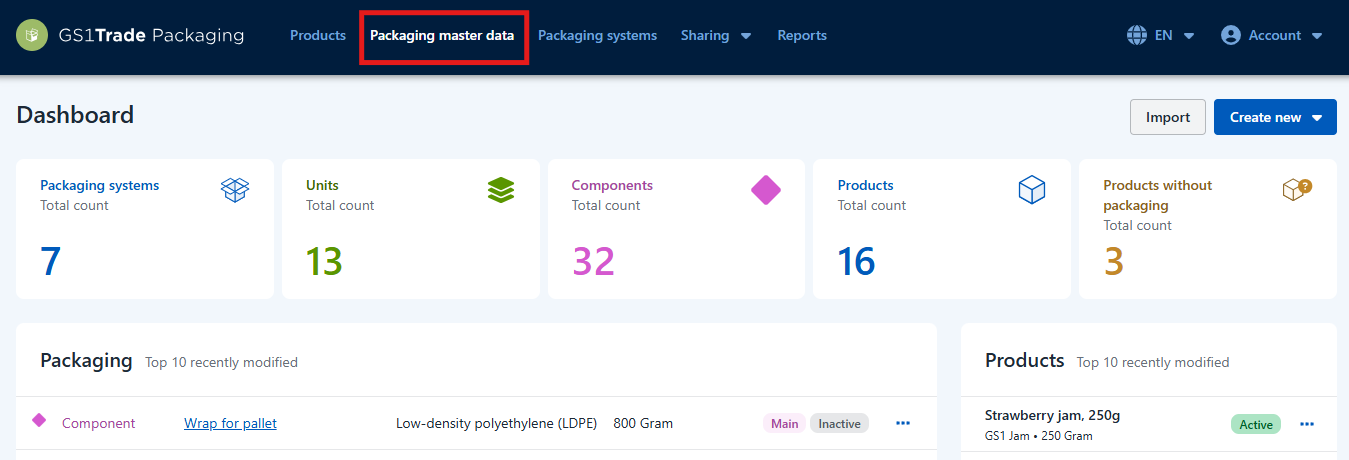
From the dashboard, click in on the menu item Packaging Master Data at the top of the page.
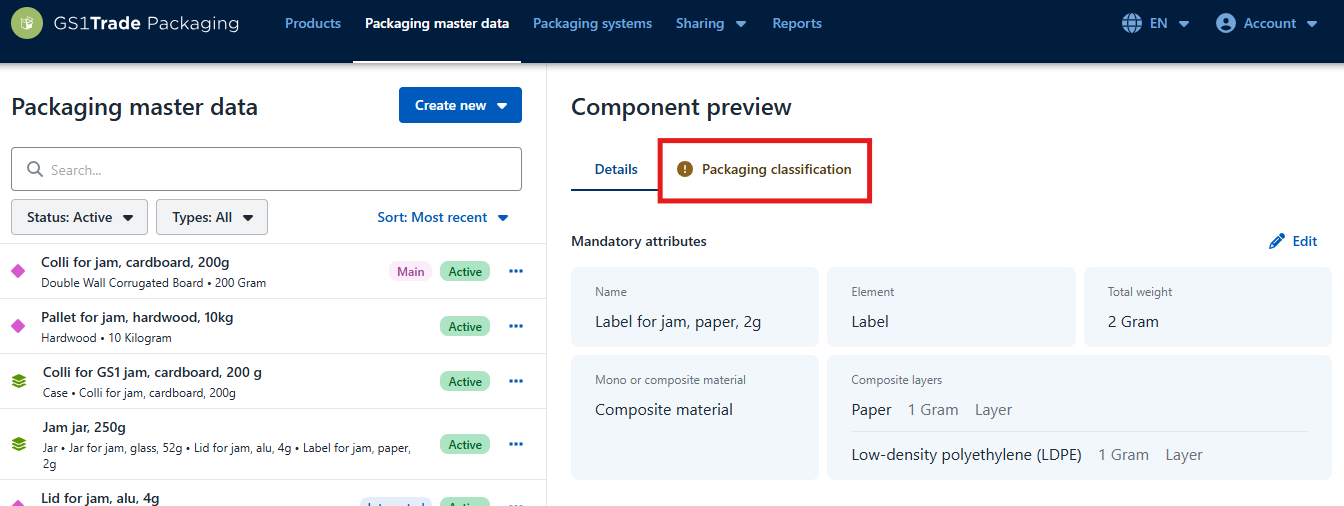
In the tab on the left, select the desired component to be recyclability graded. In this example, we are using a jar for a jam product.
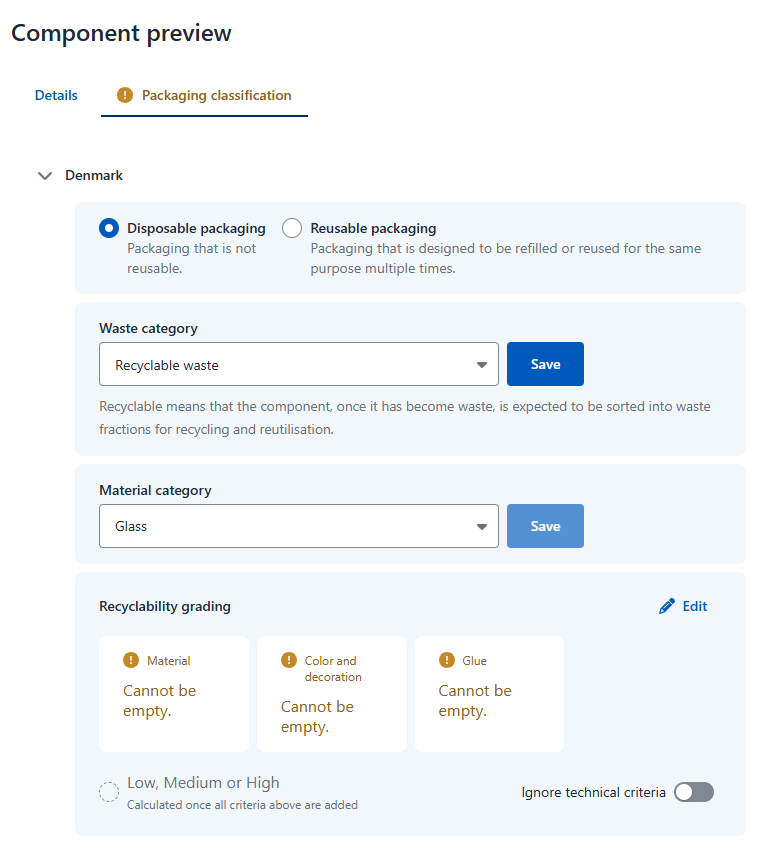
Click on the tab Packaging classification. If the component has not yet been recyclability graded, the text will appear in yellow with an exclamation mark.
The difference between the two categories is whether or not the packaging is designed to be refilled og reused for the same purpose several times or not.
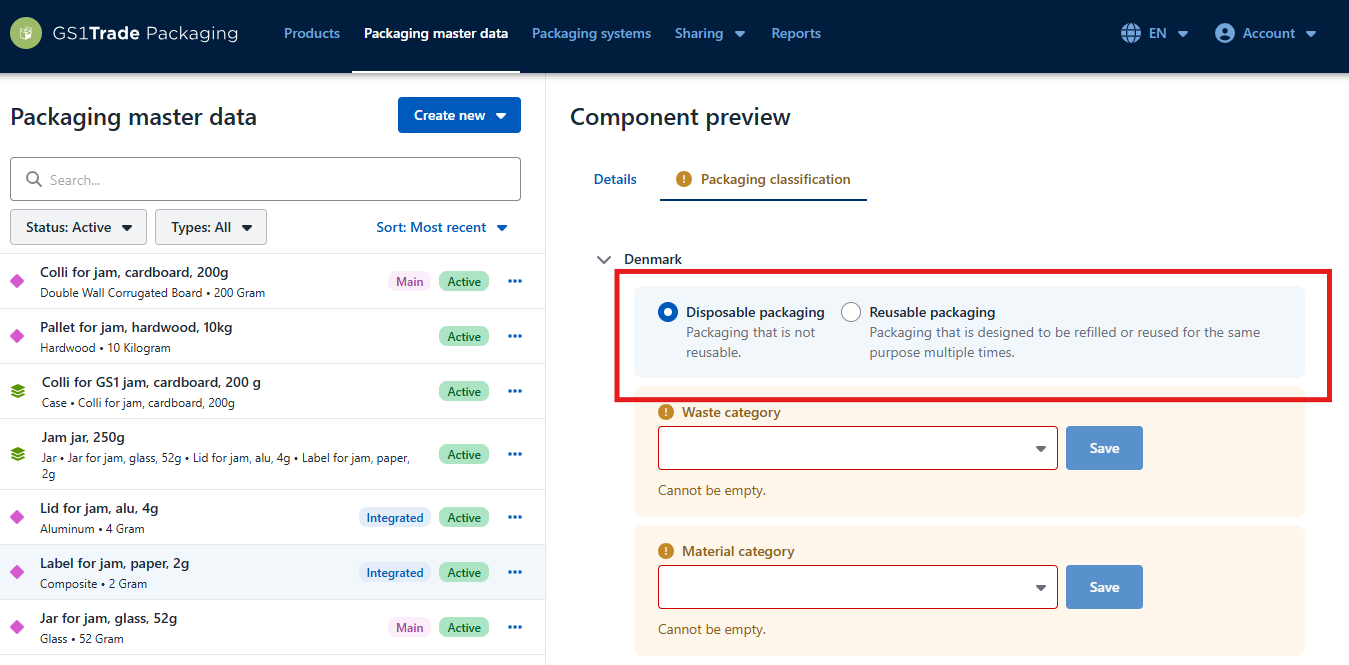
Specify whether the component should be sorted as Recyclable, Residual or Hazardous waste.
Descriptions of the different types of waste are found when you select one of the types from the list.
Click Save.
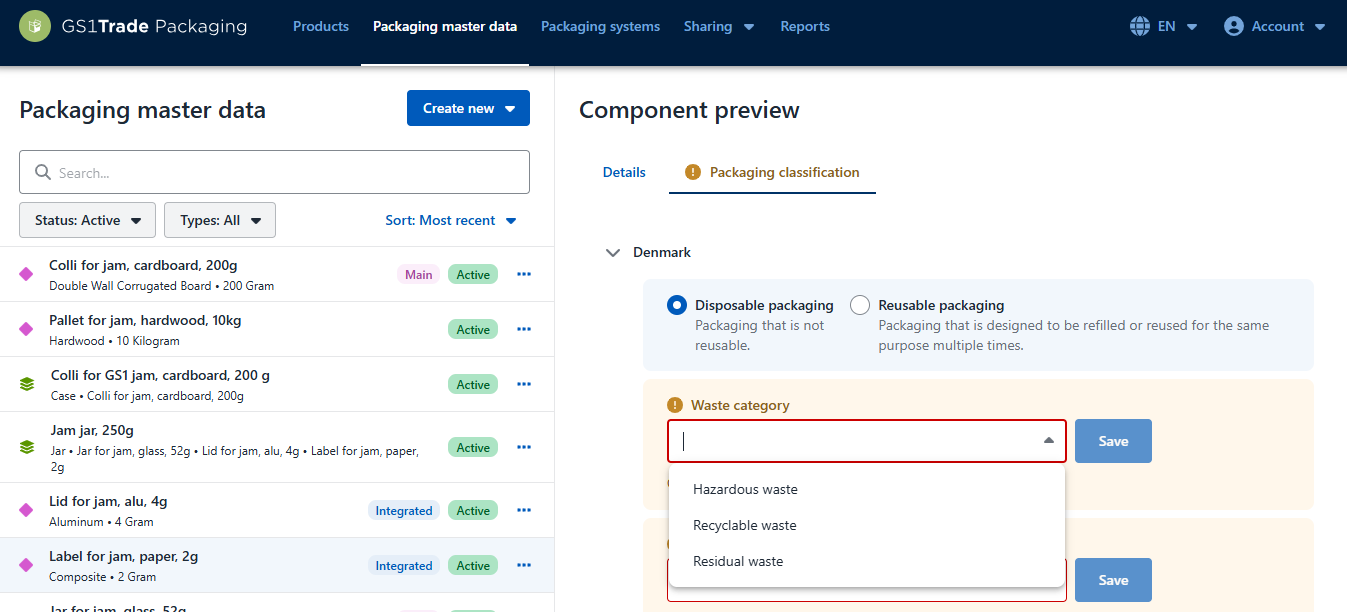
Select a material category from the dropdown list. You must select the category that best matches the component. In this example it would be glass.
If you change the material category, remember to click Save to update, as this has an impact on the associated design requirements.
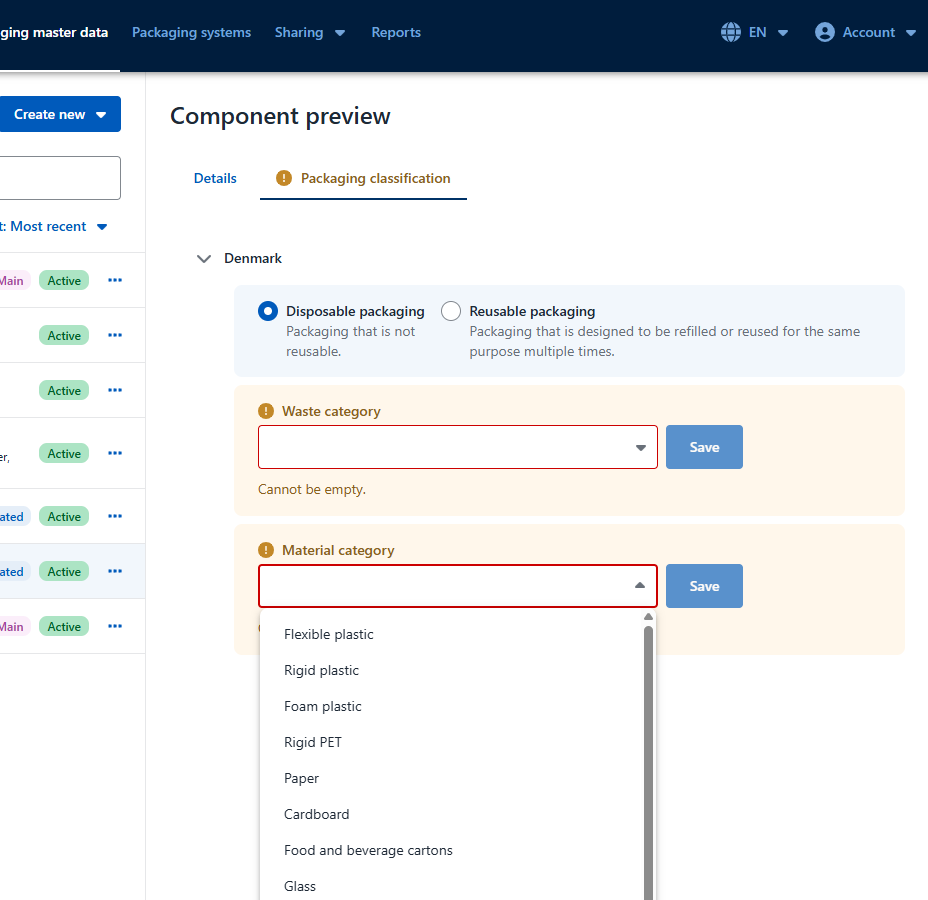
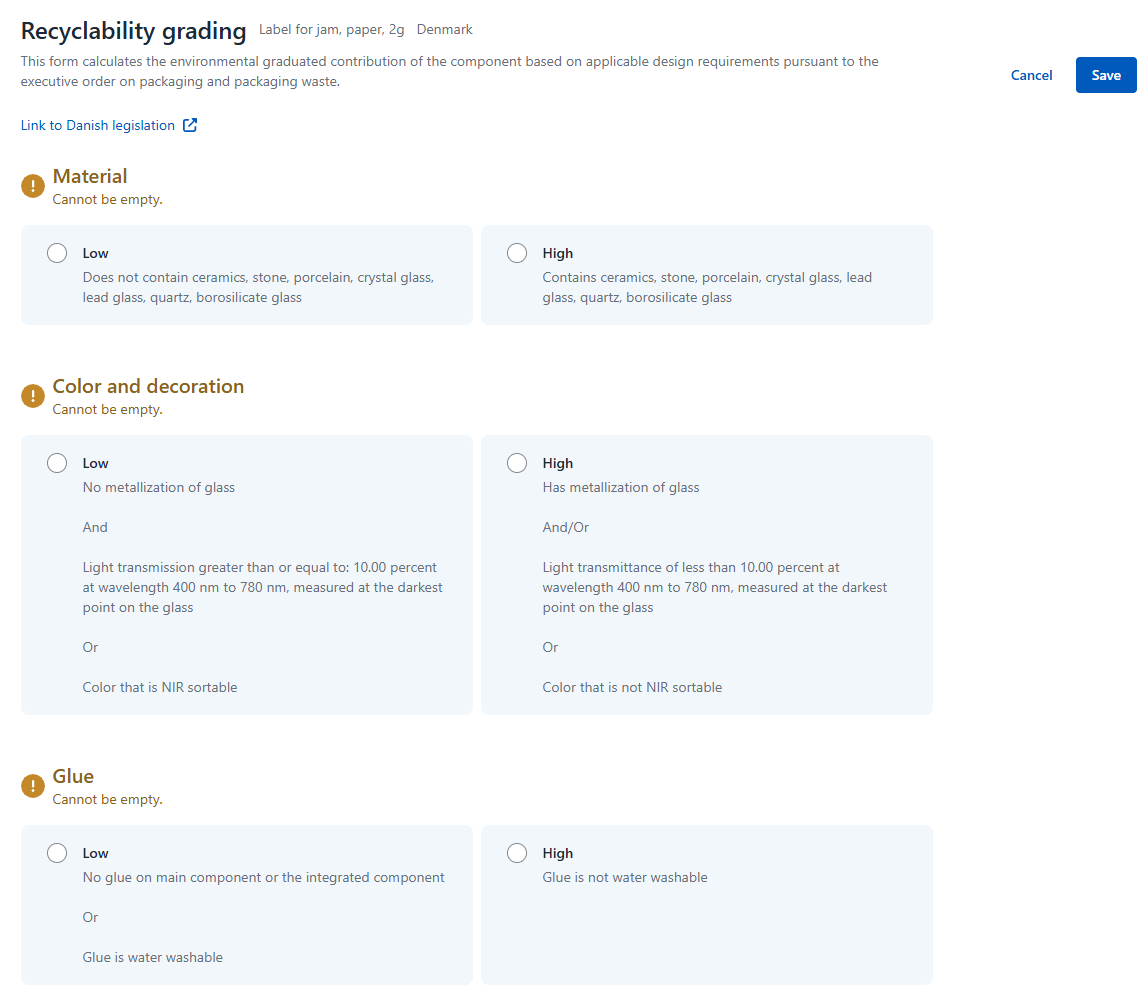
Depending on the selected category, you will now see a number of design requirements that need to be completed.
Click Edit details on the right side.
Fill in all design criteria.
When you're done, click Save.
After filling in the design criteria, you can see the result of the recyclablity grading. The component is placed on an overall level: Low, Medium or High.
The tab Packaging classification will no longer be indicated in yellow.
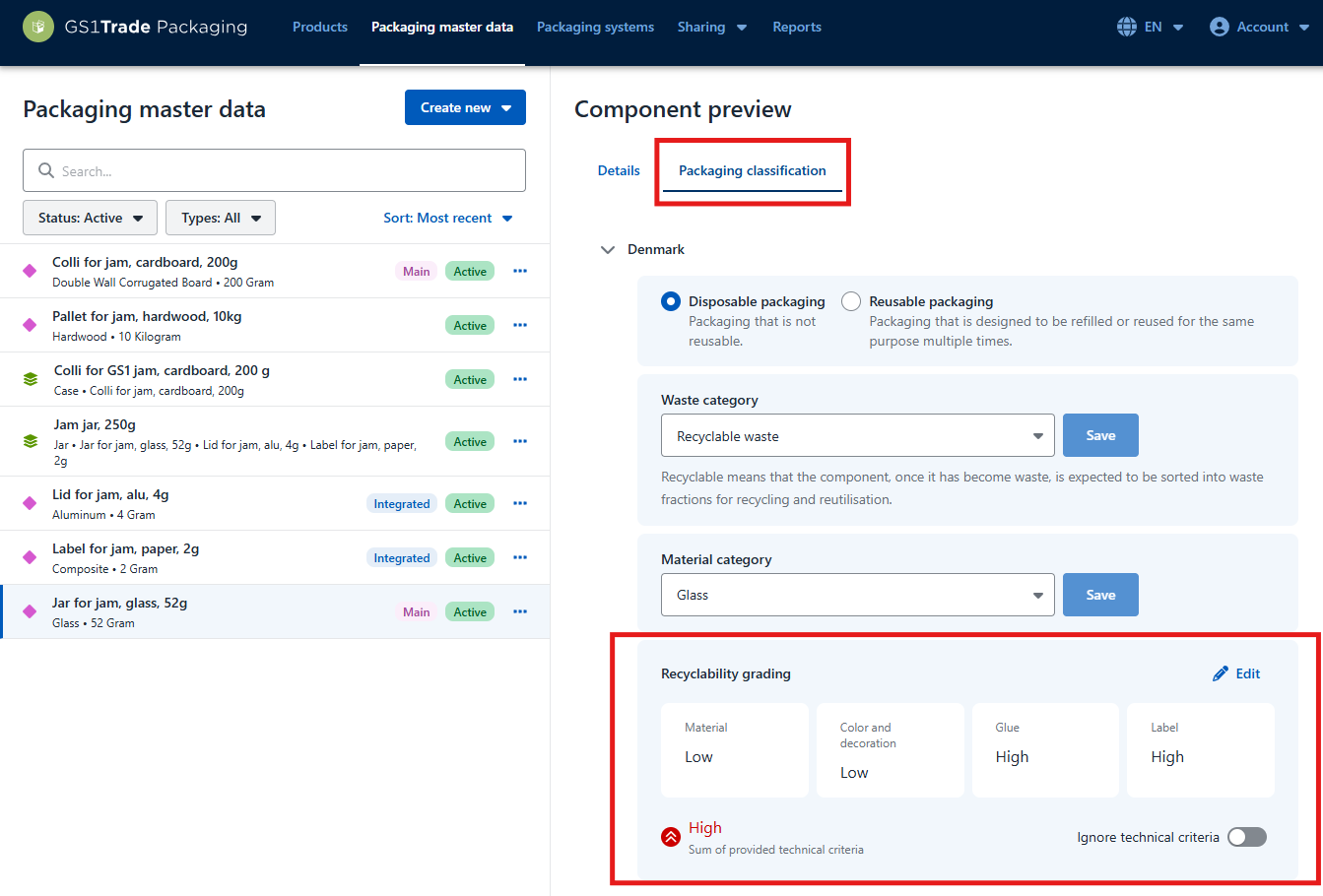
Repeat the process for the remaining components, after which the environmental grading is calculated for all the components of your product.
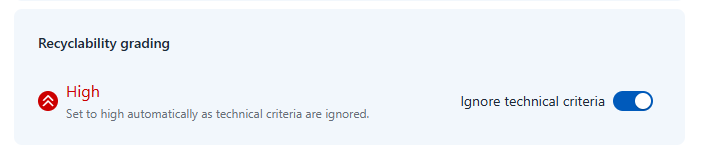
You can also chose to ignore the design criterias which will automatically set the environmental grade of a component to "High"/Red.
This is a function which helps you grade the environmental impact of your packaging components more efficiently.
Under the environmental grading simply toggle Ignore Design Criteria on or off.
We recommend contacting your packaging manufacturer, producer responsibility organisation, or Dansk Producentansvar (DPA - Danish Producer Responsibility).
Do you still need help? Reach out to our support team. We are always ready to help.