|


GTIN
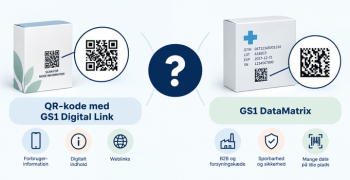
Colloquially, many know GTIN as a barcode, but technically, GTIN is the number found beneath the barcode symbol itself, and can therefore also be used for other technologies such as 2D barcodes and RFID tags.
Colloquially, many know GTIN as a barcode, but technically, GTIN is the number found beneath the barcode symbol itself, and can therefore also be used for other technologies such as 2D barcodes and RFID tags.
Products created in GS1Trade Sync can have one of the following statuses:
Not sure whether one of your products has been created in GS1Trade Sync?
You can always search for your products using the GTIN or barcode. If you cannot find the product, it has not yet been created in the system.
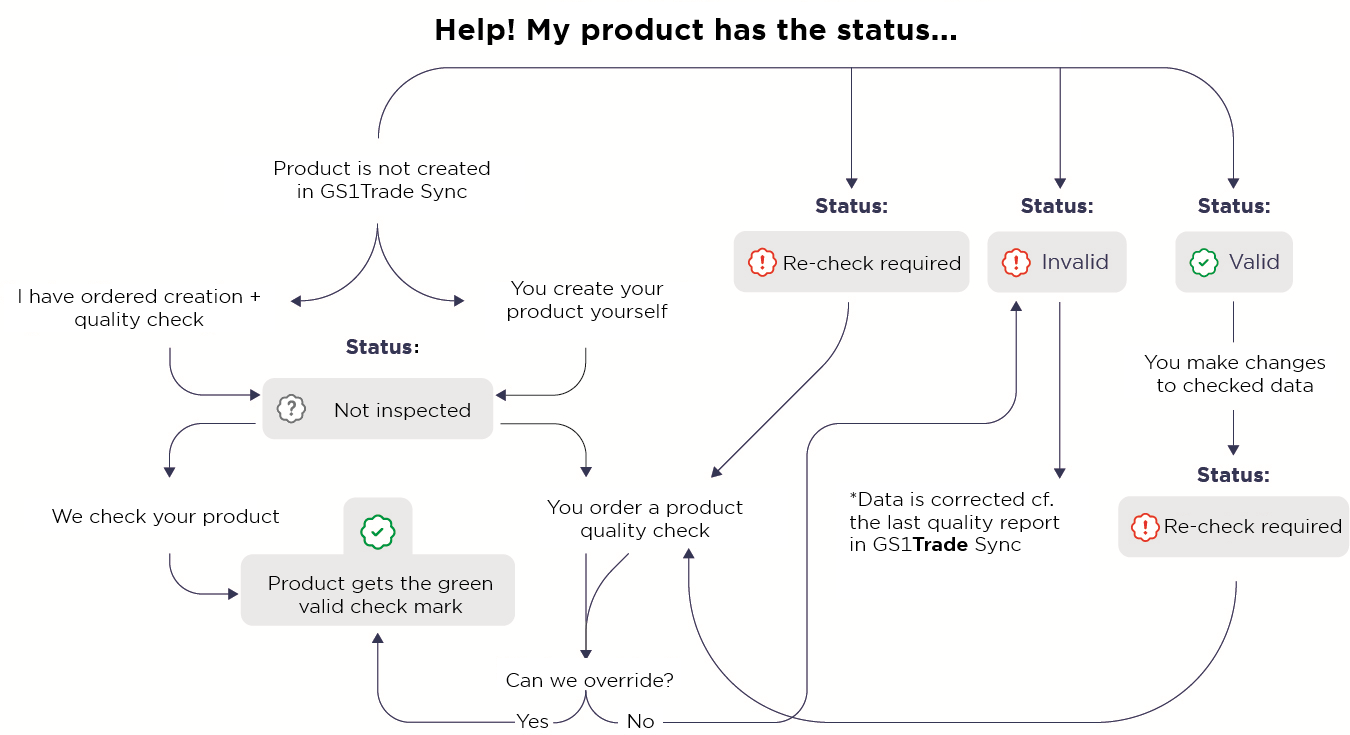
You can either order Product Creation together with a Quality Check, or create the product yourself in GS1Trade Sync. If you create the product yourself, it will initially receive the status Not Inspected.
The Not Inspected status means that the product has not yet been quality checked by GS1Trade Exact.
To change this status, you must book a Product Quality Check and send the product to the GS1Trade Exact department. During the inspection, the product is compared with the data registered in GS1Trade Sync.
If GS1Trade Exact has permission to overwrite your product data, the product will automatically be assigned VALID status after the inspection.
If permission has not been granted, the product will instead receive INVALID status.

If your product has the status Re-inspection Required, it must be inspected again before it can regain VALID status.
This status indicates that the product has previously been inspected, but that changes have since been made to the product data in GS1Trade Sync. Changes to mandatory product data requirements may also trigger the Re-inspection Required status.
Depending on the changes made, you will need one of the following:
If product data is changed several times after an inspection, the status will change from Re-inspection Required to Not Inspected.
To restore VALID status, you must book a Product Quality Check and submit the product to GS1Trade Exact.

The INVALID status means that your product has been inspected by GS1Trade Exact, but one or more data issues still need to be corrected.
The required corrections are described in the quality report, which can be downloaded from GS1Trade Sync.
This status occurs when GS1Trade Exact is not authorised to overwrite your product data automatically.
Once the required corrections have been made in GS1Trade Sync, the product can receive VALID status.

The VALID status indicates that your product data has been quality assured by GS1Trade Exact.
Data recipients can therefore trust that the product information has been verified and is ready for use.

The product contains one or more validation errors in GS1Trade Sync, preventing the GS1Trade Exact status from being updated correctly.
After correcting the validation errors and republishing the product, the correct GS1Trade Exact status will be displayed.

After a product has been published, it may take up to 15 minutes before the correct GS1Trade Exact status is displayed.
During this time, the status Updating... may be shown. In most cases, the correct status will appear shortly after publication.

Do you still need help? Reach out to our support team. We are always ready to help.