|


GTIN
Colloquially, many know GTIN as a barcode, but technically, GTIN is the number found beneath the barcode symbol itself, and can therefore also be used for other technologies such as 2D barcodes and RFID tags.
Colloquially, many know GTIN as a barcode, but technically, GTIN is the number found beneath the barcode symbol itself, and can therefore also be used for other technologies such as 2D barcodes and RFID tags.
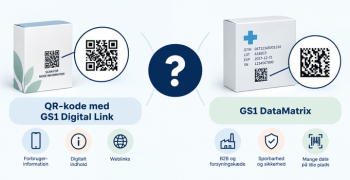
Learn how to create a QR code in GS1Trade Activate. In the QR code, you can encode your product's GTIN (barcode number) and link to a specific website.
The unique possibilities with a QR code using GS1 Digital Link are:
A resolver acts as a kind of redirection service. This means that the physical QR barcode refers to this resolver via a URL (which the system automatically creates for you). In GS1Trade Activate, you can then control which page the user is redirected to when the QR code is scanned. This way, you can change the destination link without having to update the QR barcode itself - thus avoiding changing the product packaging.
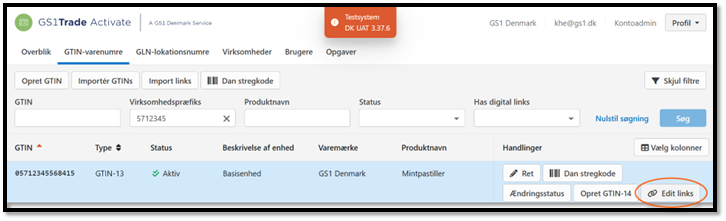
1. Under the column Actions, click Edit links to the right of the created GTIN.
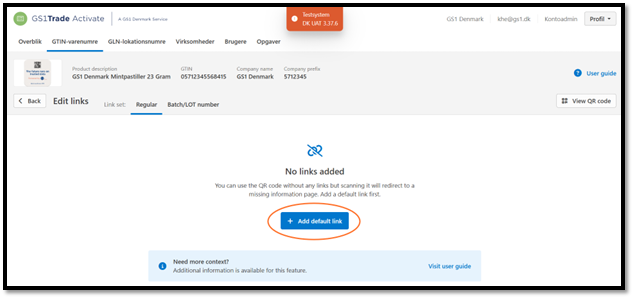
2. Now you need to create the links that the QR code should point to. Click on + Add default link.
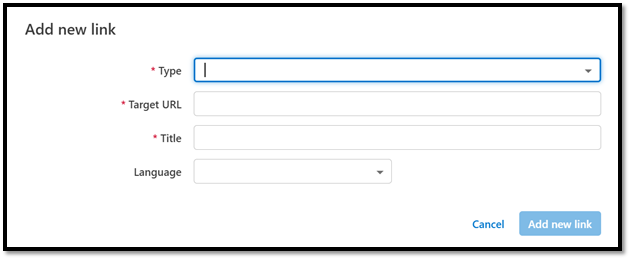
3. Fill in the four fields: Type, Target URL, Title and Language, click Add new link.

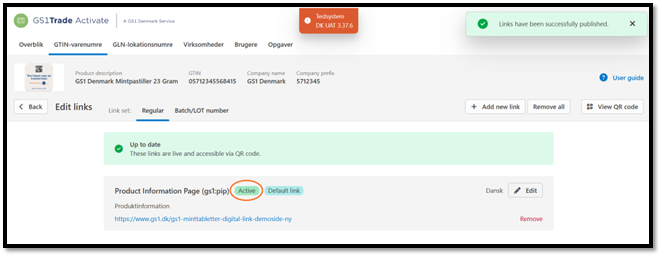
4. The created link is shown. The first created link will always be the "Default link". To activate links, click Publish changes and then it will be shown as Active.
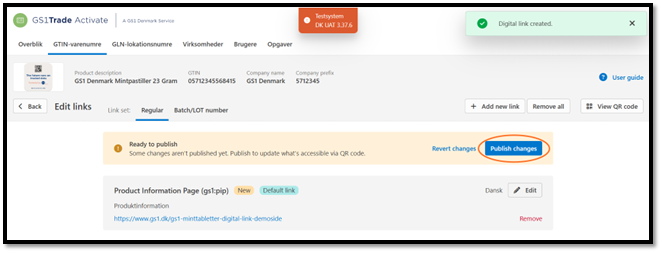
5. Everything will appear as up to date and the link will be active. Click on View QR code to generate the QR barcode itself.
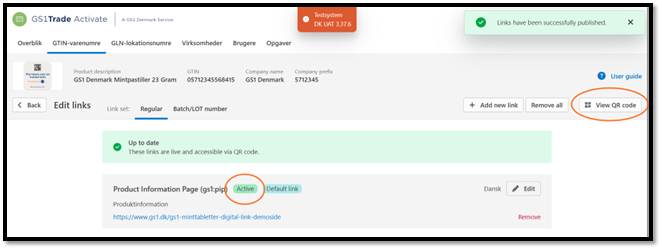
6. You will now see the QR barcode and its data content. Click Download QR code, and an .svg file containing the QR code will be downloaded.
NOTE: On this page, you also have the option to enter an expiry date. You should not do it in this case, as it involves dynamic data, which would require a new QR barcode for each expiry date used.

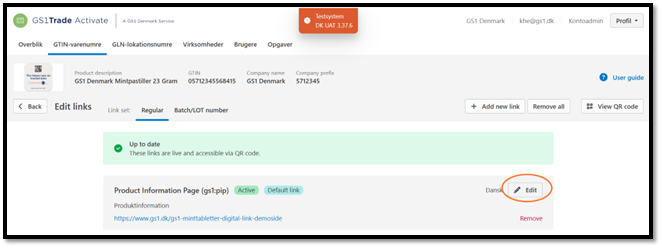
1. Click Edit to the right of the link.
2. If you make changes, delete, or add new links, the status will change to Changed.
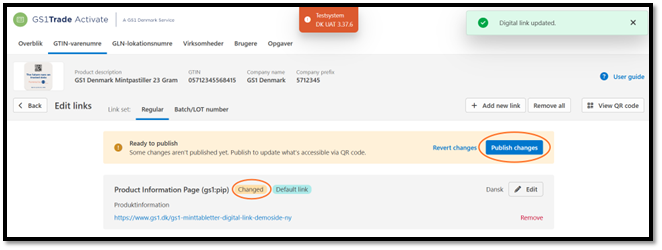
3. Click Publish changes for the changes to take effect and the updated information to be Active.
With this change, it is not necessary to replace the QR barcode on your packaging. The barcode itself will remain the same, but the consumer will be directed to the new website that is now linked to the code.
Do you still need help? Reach out to our support team. We are always ready to help.