|


GTIN
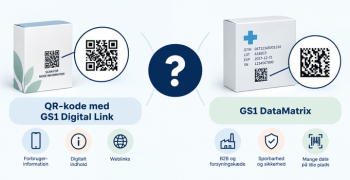
Colloquially, many know GTIN as a barcode, but technically, GTIN is the number found beneath the barcode symbol itself, and can therefore also be used for other technologies such as 2D barcodes and RFID tags.
Colloquially, many know GTIN as a barcode, but technically, GTIN is the number found beneath the barcode symbol itself, and can therefore also be used for other technologies such as 2D barcodes and RFID tags.
This guide describes the specific data sharing requirements for vitamins, minerals and supplements. Among other things, the guide provides an overview of how ingredients, nutritional information and recommended dosage must be specified in order to comply with applicable legislation.
Relevant attributes are reviewed with examples of what information should and should not be filled in each field, as well as whether the fields are mandatory or optional.
Guide caters to data providers who create vitamins, minerals and supplements in GS1Trade Sync, as well as for data recipients who want insight into what data they can expect to receive.

EXACT fields for vitamins, minerals and supplements are marked with the following green badge.
Attribute Type: Code List
Status: Mandatory
Description: Always indicate “Supplements” on Supplements and Vitamins/Minerals.
It can also be stated, for example, “Vegetarian”, “Gluten-free”, etc.
Attribute Type: Code List
Status: Mandatory
Description: Enter a code describing the component/nutritional value contained in the product as stated on the label of the product.
For example, “Calcium”, “Magnesium”, “Vitamin A”
If a relevant value shown on the product packaging is not found in the code list, you can enter “Proprietary mixture” in the code list and enter the name of the substance in the Nutrient designation text box on packaging (5500).
Attribute Type: Numeric + unit
Status: Mandatory
Description: Value indicating the amount of the nutritional component contained in the product. This is indicated per component in relation to the nutritional reference value (serving size).
For example, “233 Milligram” and “11 Grams”.
Attribute Type: Code List
Status: Mandatory
Description: Accuracy indication of the specified nutritional content. Local regulatory guidelines should be followed when selecting measurement accuracy.
Specify the accuracy that best matches the data on the product: “Approximately” or “Less than”.
Attribute Type: Numeric
Status: Conditionally mandatory:
If the product contains vitamins and/or minerals, the daily reference intake should be indicated as a percentage for them.
Description: Indication of the daily reference intake as a percentage. The indication indicates how much the consumer receives of the nutrient in question in relation to a fixed reference intake. The reference intake established shall be indicated in Statement of reference daily intake% (RI) (1226).
Fill in numbers only. For example: '240'
Attribute Type: Code List
Status: Mandatory
Description: This indicates “Product as sold” if the nutrition declaration of the product is for the product as it is in the package. If the nutrition declaration applies to the product after it has been prepared, select “Prepared”. This must be stated on the label/declaration of the product.
Attribute Type: Free Text
Status: Conditionally mandatory:
Must be indicated if the product contains vitamins and/or minerals.
Description: Provide declaration of the reference daily intake.
For example: “Reference intake for an average adult person (8400 kJ/2000 kcal)”.
Attribute Type: Numeric + unit
Status: Mandatory
Description: Specify the reference value against which the nutritional information is indicated.
For example: “100 Grams” or “100 Milliliters”.
Attribute Type: Free Text
Status: Voluntary with warning:
'Nutritional reference value: Description' shall be indicated where it appears on the product. '
Description: Specifies the reference value against which the nutritional information is indicated.
For example: “Per 1/2 cup (100 Grams)”.
Attribute Type: Free Text
Status: Mandatory
Description: Information regarding the dosage of supplements to be taken per recommended dosage. This may be marked on the product or must be marked according to applicable law.
For example: “Take 2 tablets every 4 hours” or “Take 1 teaspoon daily”.
Attribute Type: Numeric
Status: Volunteer with warning:
'If the product's packaging indicates the number of days of shelf life after opening, indicate this in box 3481'.
Description: Indicate the number of days that the product can keep after opening before it needs to be destroyed/removed.
Attribute Type: Free Text
Status: Mandatory
Description: Instructions for storing the product for the consumer. This description is usually either printed on the label of the product or inside the packaging. Instructions may include information on recommended storage temperatures and/or special storage requirements. The text appears on the product data sheet in GS1Trade It's syncing.
Attribute Type: Free Text
Status: Mandatory (the field will become technically mandatory until May 2026)
Description: “Shall” instructions required for hygienic/safety reasons or custom, because omission may lead to misuse. The text appears on the product data sheet in GS1Trades It's syncing.
Attribute Type: Free Text
Status: Mandatory (the field will become technically mandatory until May 2026)
Description: Indication of the ingredients list of the product as it appears on the packaging. Remember to always indicate allergens with large. They will be shown in bold in the box below.
For example: calcium carbonate, maltodextrin, surfactants (hydroxypropylmethylcellulose, magnesium salts of fatty acids, talc, modified starch, hydroxypropyl cellulose, carnauba wax), medium-chain triglycerides (from coconut oil).
Attribute Type: Free Text
Status: Conditionally mandatory:
When “Prepared” is selected in Cooking type (1225), the cooking instructions must be indicated.
Description: Used for culinary guidance or suggested preparation. Do not use for directions required for hygienic/safety reasons (these must be indicated in Instructions for use for the consumer (356))
Attribute Type: Free Text
Status: Voluntary
Description: Marketing message about the product route, which is typically used in connection with sales in webshops. The field may contain information about what distinguishes the product from similar products on the market, such as: taste, consistency, special manufacturing methods, origin or history of the product. The text appears on the product data sheet.
Attribute Type: Free Text
Status: Mandatory
Description: The name used to uniquely identify a product series and which is recognisable to the consumer.
For example: “Livol”, “REMEMBER” or “Fitness Pharma”.
Attribute Type: Free Text
Status: Mandatory
Description: Brief description of the product to identify it on the shelf edge, in the exit box or on the webshop, when combined with fields such as Trademark and Net content.
This field must be completed as indicated on the packaging, but must not contain a trade mark or a weight/piece indication.
For example: “Psyllium Stomach Balance” or “Omega-3 Lemon Flavor” (max 35 characters).
Attribute Type: Free Text
Status: Mandatory
Description: The description should help to find the correct product classification for the product, as well as possible use for bontext. As a rule, it should be the product designation or a short alternative to it. The field must not contain a trade mark or a weight/piece indication.
For example: “Multivitamin” or “Dietary supplement”.
Attribute Type: Free Text
Status: Mandatory (the field will become technically mandatory until May 2026)
Description: The prescribed, regulated or general product name that describes the true nature of the food and is sufficient to accurately distinguish it from other foods according to country-specific legislation. Specify exactly as stated on the item.
For example: “Supplements”.
Do you still need help? Reach out to our support team. We are always ready to help.