|


GTIN
Colloquially, many know GTIN as a barcode, but technically, GTIN is the number found beneath the barcode symbol itself, and can therefore also be used for other technologies such as 2D barcodes and RFID tags.
Colloquially, many know GTIN as a barcode, but technically, GTIN is the number found beneath the barcode symbol itself, and can therefore also be used for other technologies such as 2D barcodes and RFID tags.
This guide is for you who only use GS1Trade Packaging to share packaging data with your customers.
Before you start, it’s important to agree with your customers where they wish to receive data – in Trade Sync or in Trade Packaging.
If you also subscribe to GS1Trade Sync, instead, follow the guide on data sharing between Trade Packaging and Trade Sync.
Data sharing in GS1Trade Packaging consists of two simple steps:
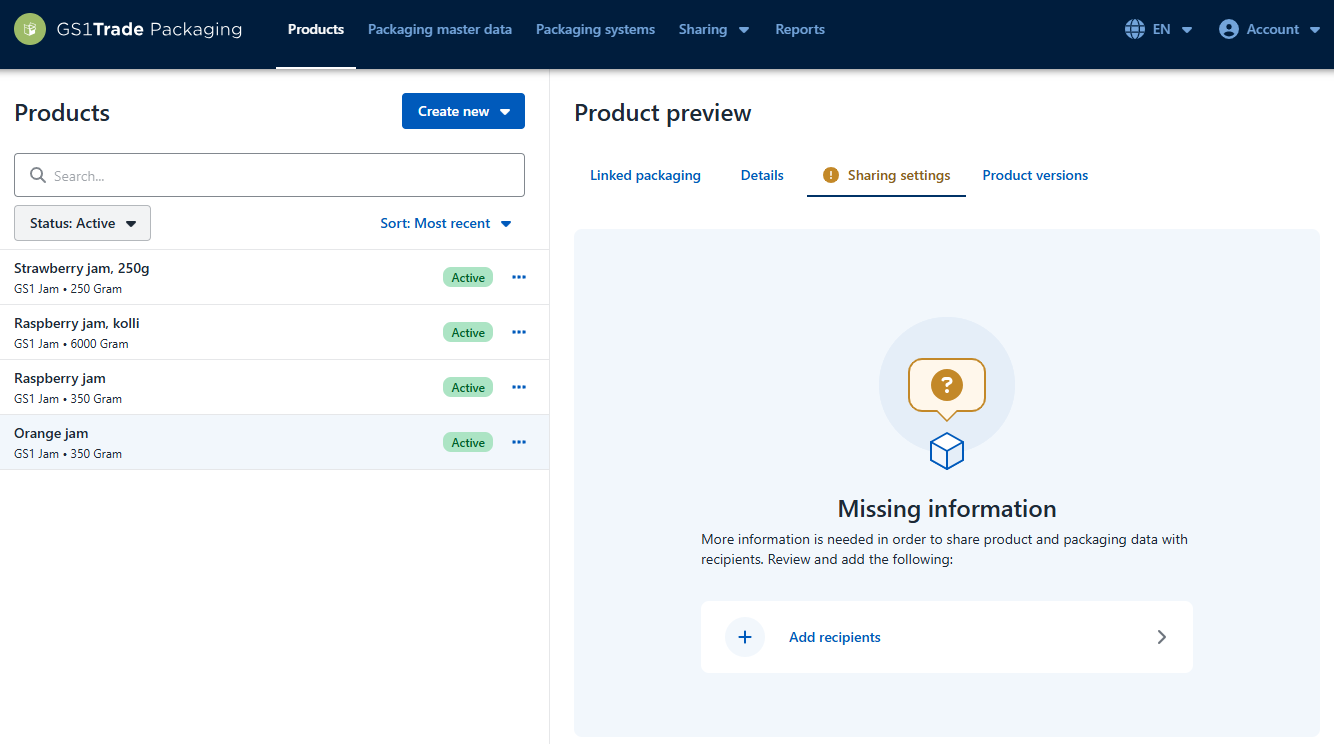
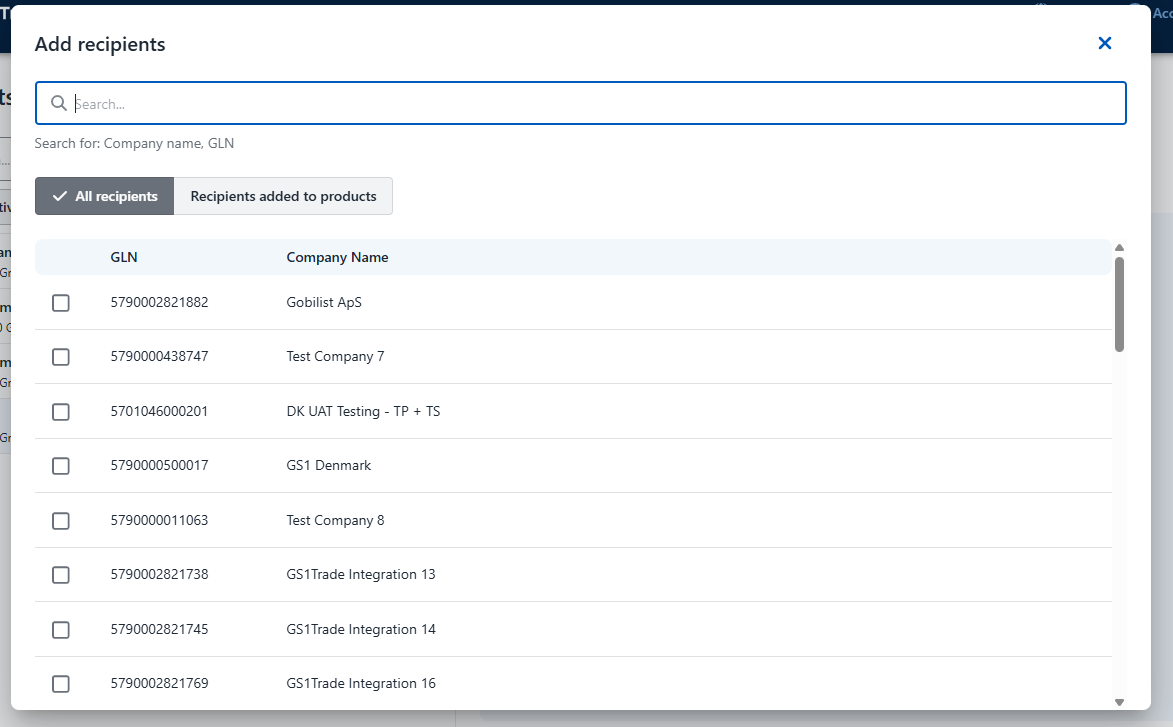
By default, data is sent both to GS1Trade Sync and GS1Trade Packaging.
If your data recipient wants to receive data only in GS1Trade Packaging disable Publish to GS1Trade Sync under Sharing Destinations.
If you have multiple recipients on a product and one company wants to receive data in GS1Trade Sync, make sure that Publish to GS1Trade Sync remains enabled.
Note: If you've come to share data with GS1Trade Sync by mistake, you can simply avoid publishing the product. In that case, the data will not be made available to recipients in GS1Trade Sync.
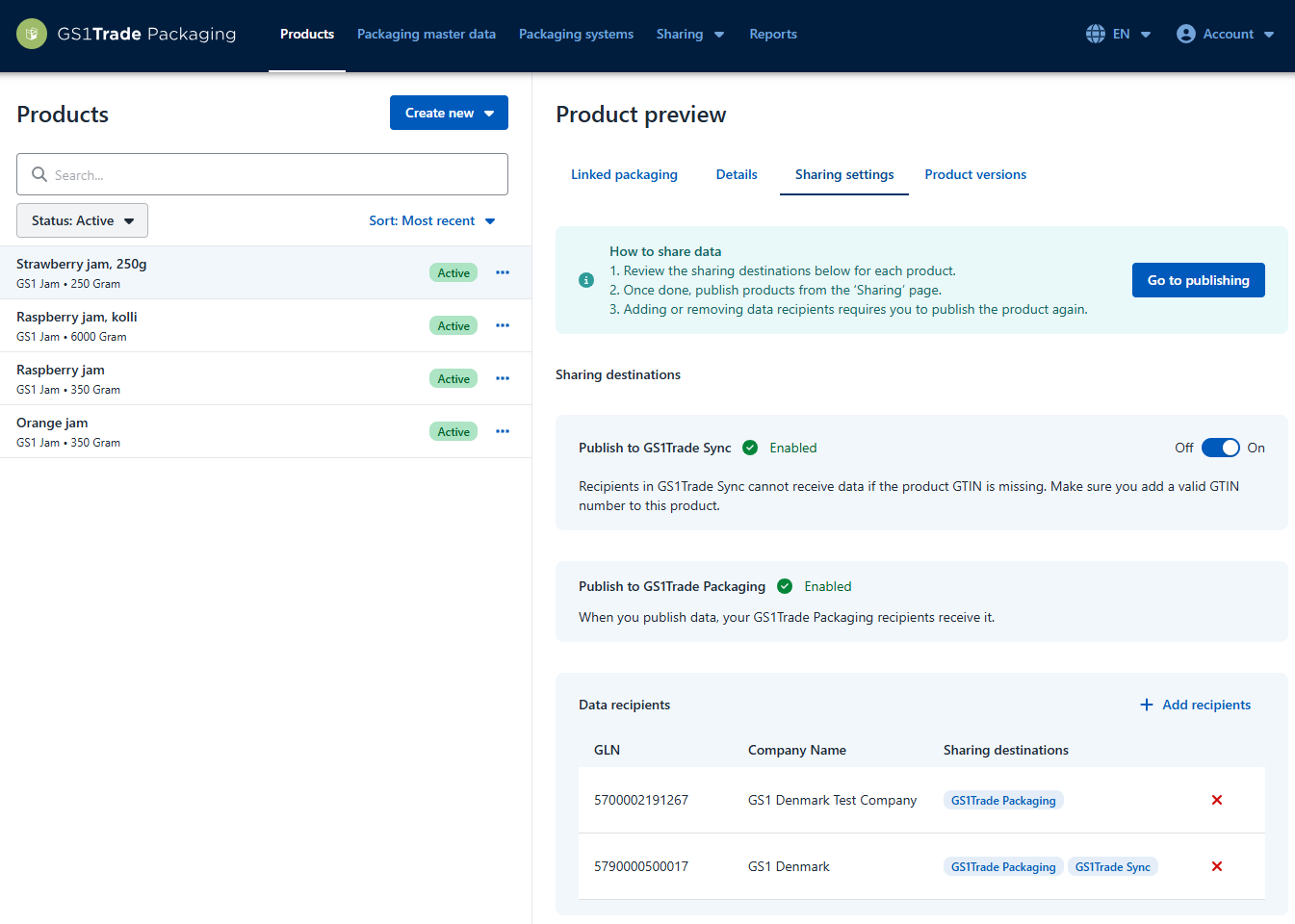
Once you've added recipients on all your products, you're ready to publish data. When you publish your data, it is sent to the selected recipient.
If the status shows Publication completed the data has been published.
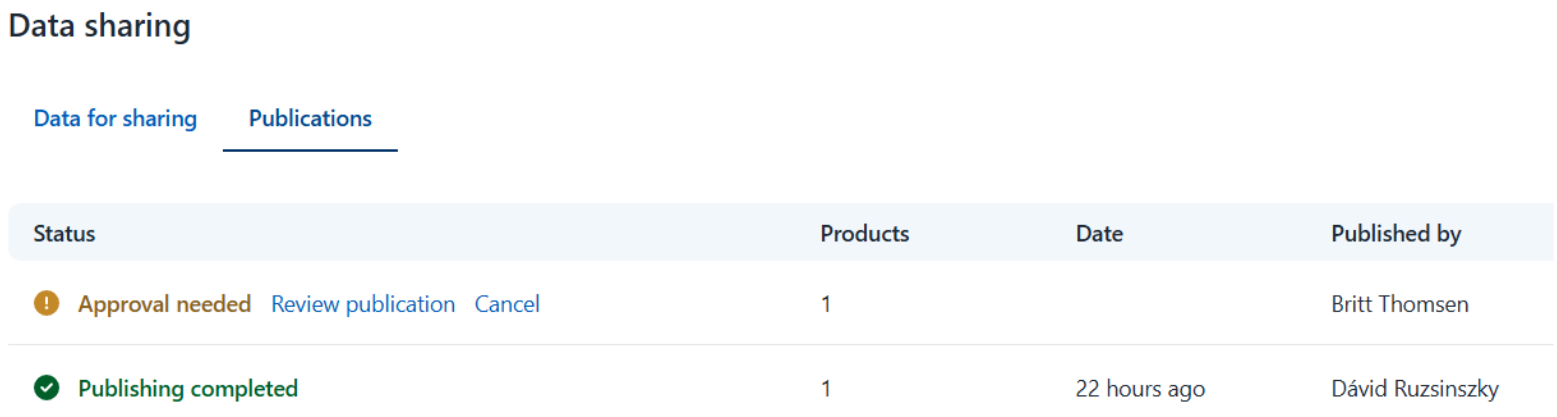
In the “Publications” tab, you can see the status.
Status Publication completed means that the data has been shared with the recipient.
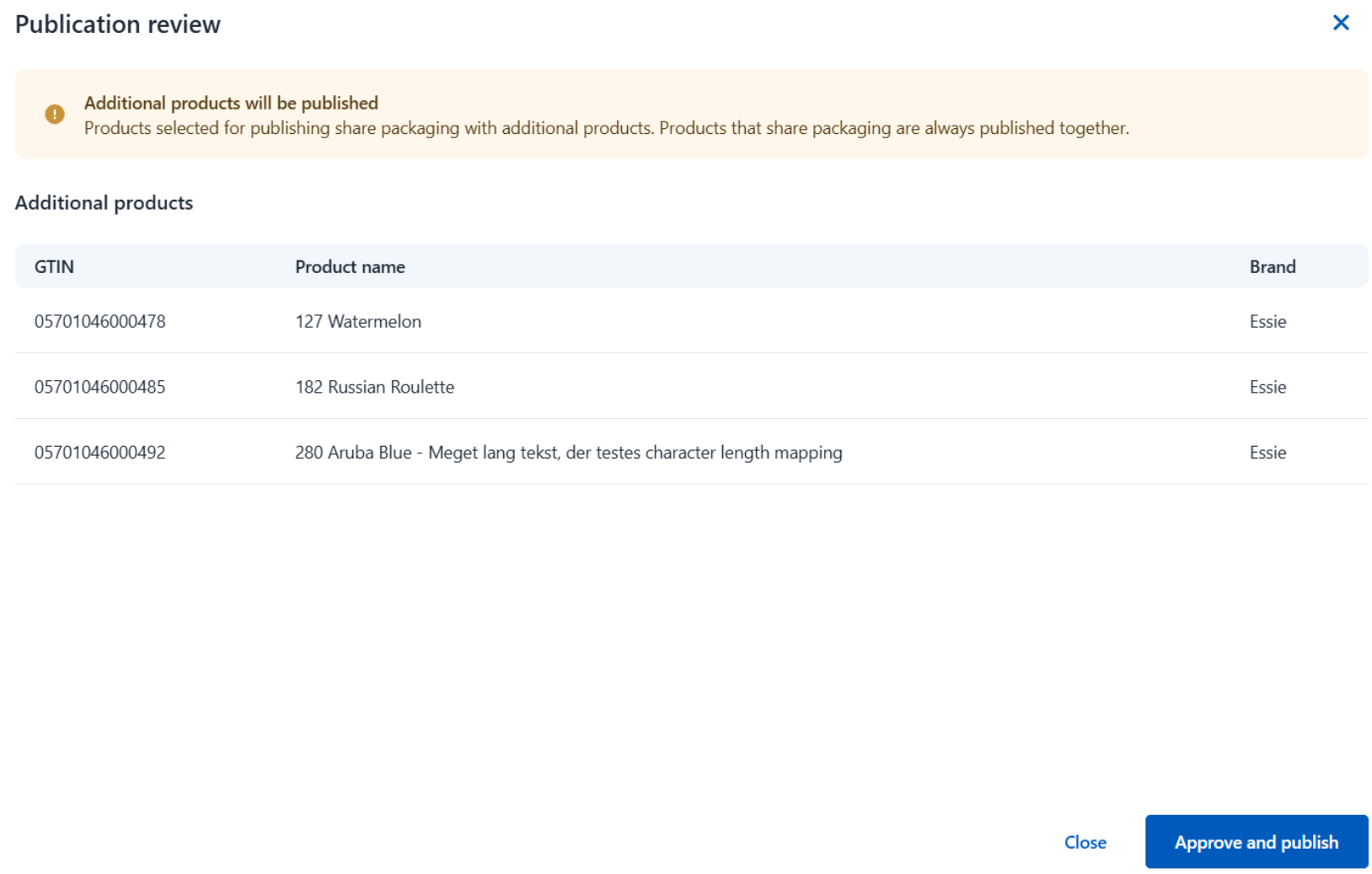
Status Approval needed means that you are about to send data where changes have occurred that affect products that are not part of the current publication.
If the publication fails, you need to contact member service so that we can help you in the best way possible.
You can take a systematic approach and publish your data recipient by recipient - especially if you have many products and recipients.
For example, you might have products for both Rema 1000, Coop and Salling.
Note. Filtering on Recipient is a way to get an overview of the products in which the given company is set as a data recipient. If there are multiple data recipients on a product, data will be shared with all data recipients when you click Publish - not only the filtered recipient.
It is not yet possible to see the details of the publication in the “Publications” tab. Therefore, we recommend instead noting the time of publication with a description of the content and recipient — e.g. all PL products for Rema 1000 — in a separate Excel sheet or other note format. In this way, you help yourself to keep track.
It is currently not possible to see detailed publishing data under the “Publications” tab. Therefore, we recommend noting - in a separate spreadsheet or other note format - the time of publication along with a description of the content and recipient - for example, “all PL products to Rema 1000”. This will help you keep an overview.
Do you still need help? Reach out to our support team. We are always ready to help.