|


GTIN
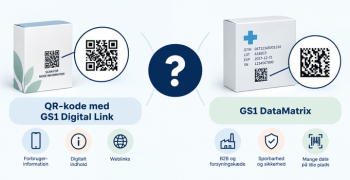
Colloquially, many know GTIN as a barcode, but technically, GTIN is the number found beneath the barcode symbol itself, and can therefore also be used for other technologies such as 2D barcodes and RFID tags.
Colloquially, many know GTIN as a barcode, but technically, GTIN is the number found beneath the barcode symbol itself, and can therefore also be used for other technologies such as 2D barcodes and RFID tags.
1. Tap My Profile and Business Setup

2. Tap Settings and check the box as shown

3. Find the product you would like to create product data sheets on and link to

4. Select “Public Links” and turn on link sharing. Tap “Copy to Clipboard”

5. The link can now be inserted into a browser

Important to know about public links:
• If you choose to link to the product data sheet from your website, everyone will be able to access it. If your product is created “Private” in GS1Trade Sync and you link to it, everyone will be able to see it
• If you make an update in GS1Trade Sync on the product and publish this change, the product datasheet will be updated automatically. You don't have to create a new one and link to it.
Do you still need help? Reach out to our support team. We are always ready to help.