|


GTIN
Colloquially, many know GTIN as a barcode, but technically, GTIN is the number found beneath the barcode symbol itself, and can therefore also be used for other technologies such as 2D barcodes and RFID tags.
Colloquially, many know GTIN as a barcode, but technically, GTIN is the number found beneath the barcode symbol itself, and can therefore also be used for other technologies such as 2D barcodes and RFID tags.
The choice of barcodes depends on where in retail the case will be scanned.
If the case needs to be sold at a checkout counter, you must use one type of barcode. If the case is only intended to be handled in warehouse and distribution environments (general distribution), you can choose between two other GS1 barcode types.
This guide will help you choose the right one.
If...
The case needs to be sold at the checkout? Use an EAN-13
The case needs to be identified in storage and distribution? All three can be used but ITF-14 and GS1-128 are made for this purpose
The case also needs to include batch, expiry date, or other data? Use a GS1-128
If you have a case unit that needs to be handled in storage environments and also sold at the checkout counter, then an EAN-13 barcode must be used. An example of this could be a case of 24 sodas that is also sold directly to the consumer.
Here, a GTIN-13 (barcode number) is assigned to the case unit, in the same way as you would for an individual product, creating an EAN-13 barcode.
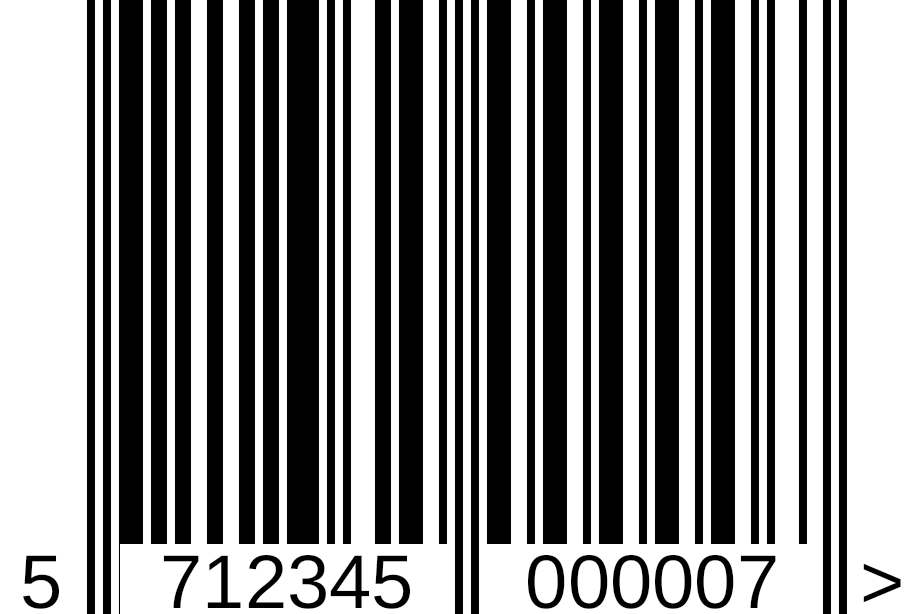
Please note that the EAN-13 barcode must be larger than the standard retail size, as it is intended for scanning in warehouse and distribution environments. For cases, a symbol size of at least 150% is recommended, corresponding to an X-dimension of 0.495 mm.
See the overview of EAN-13 barcode sizes
Some companies also choose to place an ITF-14 on the case if a trading partner requires it, or if the case is better suited for this type of barcode.
If you add an extra barcode, it is important that it contains the same GTIN as the EAN barcode.
Why not just use ITF-14? Because checkouts can read EAN-13, but not necessarily ITF-14 or GS1-128.
Cases intended only for warehouse and distribution scanning - and are not intended to be scanned at the checkout, we recommend either:
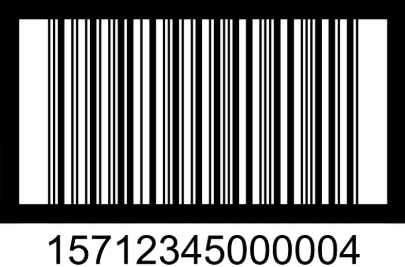
ITF-14 and GS1-128 can both contain a GTIN of up to 14 digits. Therefore, the barcodes can contain either a GTIN-13 or a GTIN-14. If you have a 13-digit GTIN, you must add a zero at the beginning so that a total of 14 digits are encoded in the barcode.
Read more about the structure of GTIN-14 here.
ITF-14 barcode is designed for transport cases. Its robust structure makes it suitable for printing directly onto cardboard and other uneven surfaces, such as labels.
The black frame surrounding the barcode is called bearer bars. It helps ensure consistent print quality and improves scanning reliability.
Read more about sizes for an ITF-14
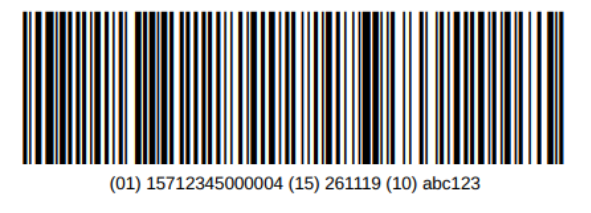
In a GS1-128 barcode you can encode information using Application Identifiers (AIs), allowing you to include more data than just the GTIN. This enables more efficient handling of your units and contributes to better traceability.
The GTIN is indicated using AI (01).
The GTIN must be 14 digits. If you have a 13-digit GTIN, add a leading zero to make it 14 digits in total.
In addition to the GTIN, you can include further information, such as batch/lot number using AI (10) and best before-date using AI (15).
Read more about the use and placement of the GS1-128 barcode on cases
All the mentioned barcode types can be created in our system GS1Trade Activate.
Do you still need help? Reach out to our support team. We are always ready to help.